NBA 2K Mobile Basketball Game
- 4.7
- Rating
- 10.00M
- Installs
- Free
- Price

 Analysis by App-foxy
I approached NBA 2K Mobile Basketball Game as a sports game for short sessions rather than as a simple basketball toy. It aims to bring the feel of a console-style NBA experience to a phone, while asking you to build and manage your own team over time. That combination makes it more demanding than a quick arcade game, but also more rewarding when you want something with depth.
My overall impression is positive, especially if you already enjoy basketball games and like improving a roster gradually. The presentation feels ambitious for mobile, and the licensed NBA setting gives each match more personality than a generic street-basketball app. At the same time, the amount of information and the need for fairly precise touch input can make it less comfortable for some players. The game is free to start, but optional purchases range from $0.49 to $199.99 per item, so I would approach the progression system with a clear personal spending limit.
How the game feels to read, navigate, and learn
I found that the game’s dense menus reward a slower first visit: taking a moment to inspect player cards and team screens makes later decisions easier. That organization matters beyond convenience, because it helps me tell roster planning apart from the quick reactions of a live match. The next section looks at how that learning curve shapes the way I use the game.
You May Also Like

 Google Keep - Notes and lists
Google Keep’s Quiet Growth Shows the Appeal of Simpler Notes
As mobile work gets busier, Google Keep keeps winning a simple contest: capture a thought quickly, find it later, and get on with the day.

 Blood Strike: 2.5 Anniversary
Blood Strike’s Loadouts Turn Every Drop Into a Tactical Gamble
A close look at Blood Strike’s custom loadouts: how fast access to signature weapons reshapes its battle royale rhythm, rewards preparation, and narrows the gap between fights.

 Pandora - Music & Podcasts
Pandora’s Music Is Easy to Start, but Harder to Recover
Pandora’s strength is its low-effort path from a seed to a station. Its weak spot is how much confidence it asks you to place in connection, setup, and quiet recovery.

 8 Ball Pool
 Is Built on Rivalries, Rematches, and Routine
A close look at the rivalries, rematches, shared routines, and unanswered safety questions that turn a quick pool match into a persistent mobile community.

 Samsung Music
’s Quiet Strength Is Playing What You Already Own
Its reach comes less from spectacle than from dependable access to a personal library. That simplicity is both the app’s strongest retention engine and its ceiling.

 AccuWeather: Weather Radar
AccuWeather Review: A Quick, Clear Forecast for Everyday Decisions
For everyday plans, the best forecast is the one you can understand quickly. AccuWeather makes rain timing, radar, and local conditions easy to act on, with a few trade-offs.
More From Our News Desk



A busy basketball hub that rewards patience
The first thing I noticed is that this is not built around one giant “play now” button. Team building, match preparation, player development, rewards, and other parts of the experience compete for your attention. That is useful once you understand the routine, but it can feel dense during the first sessions. I had to slow down and read each screen instead of tapping quickly through menus.
For players who see small text comfortably, the interface communicates a lot of useful information in a compact space. Player cards, team details, and progression prompts are designed for repeated checking, which suits people who enjoy comparing options before a match. However, that same density may be tiring if you have reduced vision, use a smaller phone, or prefer large, widely spaced controls. I found that rotating between the roster and match screens requires concentration, particularly when I was trying to make decisions quickly.
My practical advice is to learn the menu structure during a quiet moment rather than immediately before a competitive game. I also recommend increasing the phone’s system text size only if the game remains comfortable afterward, because larger system text does not guarantee that every in-game element will scale in the same way. A larger display can make the information easier to separate, but it does not remove the need to inspect small icons and labels.
Understanding the team-building loop
The central appeal is the feeling of turning a collection of players into a team that reflects how I want to play. I enjoyed treating roster decisions as a planning exercise instead of simply choosing the highest-looking card. A player who fits my preferred style can be more useful than one who appears stronger in a single area, especially when I am trying to build a balanced lineup.
This is also where the game asks for the most reading. You need to pay attention to what you are receiving, what can be improved, and how a decision affects your next match. New players may initially treat every reward as an automatic upgrade, but I found it better to pause and compare. That small habit reduces wasted resources and makes progression feel more deliberate.
One less obvious strength is that the management layer gives the game value even when I do not have time for a full play session. I can use a short break to review my team, then return later when I am ready to play. The trade-off is that the game may feel like work if you only want immediate action and have no interest in organizing a roster.
Controls, visual feedback, and the learning curve
On the court, the game tries to combine accessible touch controls with enough command to make basketball decisions matter. I needed a little practice before movement, passing, shooting, and defensive reactions felt natural. The early learning period is important: rushing through it can make the game seem less responsive than it really is, while slower practice helped me understand the timing.
Touch controls are easier to follow when the phone is held steadily and the screen is free from accidental contact. Players with limited dexterity may find rapid defensive changes or combined gestures uncomfortable. A stylus could help some people with precision, although it is not a substitute for a genuinely adjustable control scheme. I would not recommend assuming that every action will be equally comfortable for every hand size.
Visual feedback plays a major role in judging whether an action worked. Strong contrast and a large display can help, but fast movement, player overlap, and changing court positions still create a sensory challenge. If you have difficulty tracking motion, I would begin with calmer matches and focus on one responsibility at a time rather than trying to monitor the entire court.
Playing in everyday situations
This is a good fit for a commute, a lunch break, or a few minutes at home when I want a structured activity. In one realistic routine, I might check my roster in the morning, play a match during a break, and make one team adjustment later in the day. That rhythm works because the game has both active matches and planning tasks.
It is less suitable when I need a completely quiet or interruption-proof experience. A basketball match demands attention, and stopping in the middle of an important sequence can affect the outcome. I would avoid starting a serious game while waiting in a queue, walking, or dealing with frequent notifications. Short management tasks are more forgiving than active play in those situations.
For travel, I would prepare before leaving rather than assume every part of the experience will be equally convenient in every setting. A stable grip, a clean screen, and enough battery make a noticeable difference. The game is visually and mechanically more demanding than a lightweight puzzle, so an older phone may feel less comfortable even if it meets the required operating-system level.
What the current edition tells me about support
The game was released on April 17, 2019, and its current version is 10.6.11772319. It supports Android 8.0 and later, which makes it available to people using a range of devices, although operating-system compatibility alone does not tell me how well it will feel on every phone. Hardware differences still matter for screen size, responsiveness, heat, and battery comfort.
It comes from 2K, Inc., a Take-Two Interactive affiliate, and its scale is clear from the number of people who have tried it: more than 10 million installs, with a 4.7 average from roughly 537 thousand ratings and about 32 thousand written reviews. Those figures suggest a well-established mobile audience, but they should not replace personal testing. A popular game can still be a poor match for someone who needs larger controls, slower pacing, or minimal visual clutter.
Motor and sensory considerations
The most important accessibility question here is not whether I can open the game, but whether I can comfortably control it for a full match. Basketball requires repeated attention, quick reactions, and accurate touches. Players with tremors, joint pain, limited reach, or fatigue may find that the same controls feel manageable for a few minutes and difficult later.
I found it helpful to hold the phone with both hands and keep my thumbs close to their usual positions instead of stretching across the display. That reduces unnecessary movement and makes defensive reactions less frantic. Taking breaks between matches is also sensible, because the combination of visual tracking and repeated taps can become tiring even when the game is enjoyable.
For players with hearing loss, the visual side of play is more important than relying on sound cues. I would pay attention to on-screen movement and timing rather than assuming audio will communicate everything. Conversely, players sensitive to motion or intense visual activity may prefer shorter sessions and a lower-stimulation environment around them. The game’s realistic presentation is attractive, but realism can also mean more movement and more information to process.
Players with color-vision differences should judge the clarity of team indicators on their own device and in real matches. I would not rely on color alone when identifying players or reading the court; position, uniforms, icons, and context should also guide decisions. Testing a few matches in comfortable lighting is more useful than making a decision from screenshots.
Where it works well for different abilities
The management side is the most inclusive part of the experience for me because it allows a slower pace. Someone who cannot comfortably handle rapid play may still enjoy reviewing cards, planning a lineup, and making gradual improvements. That does not turn the game into an accessible strategy title, but it creates a second way to participate.
It can also suit players who prefer learning in stages. Rather than trying to master every basketball action immediately, I focused first on movement and basic offense, then added more defensive attention. This staged approach is useful for beginners, younger players, and anyone who becomes overwhelmed by several simultaneous tasks.
The Everyone age rating makes the game broadly approachable from an age-classification perspective. Still, younger players may need guidance around in-app purchases and time spent in the progression loop. Because the game is free to download but includes purchases from $0.49 to $199.99 per item, I would set device-level purchase protections before handing the phone to a child.
Where another basketball game may be a better choice
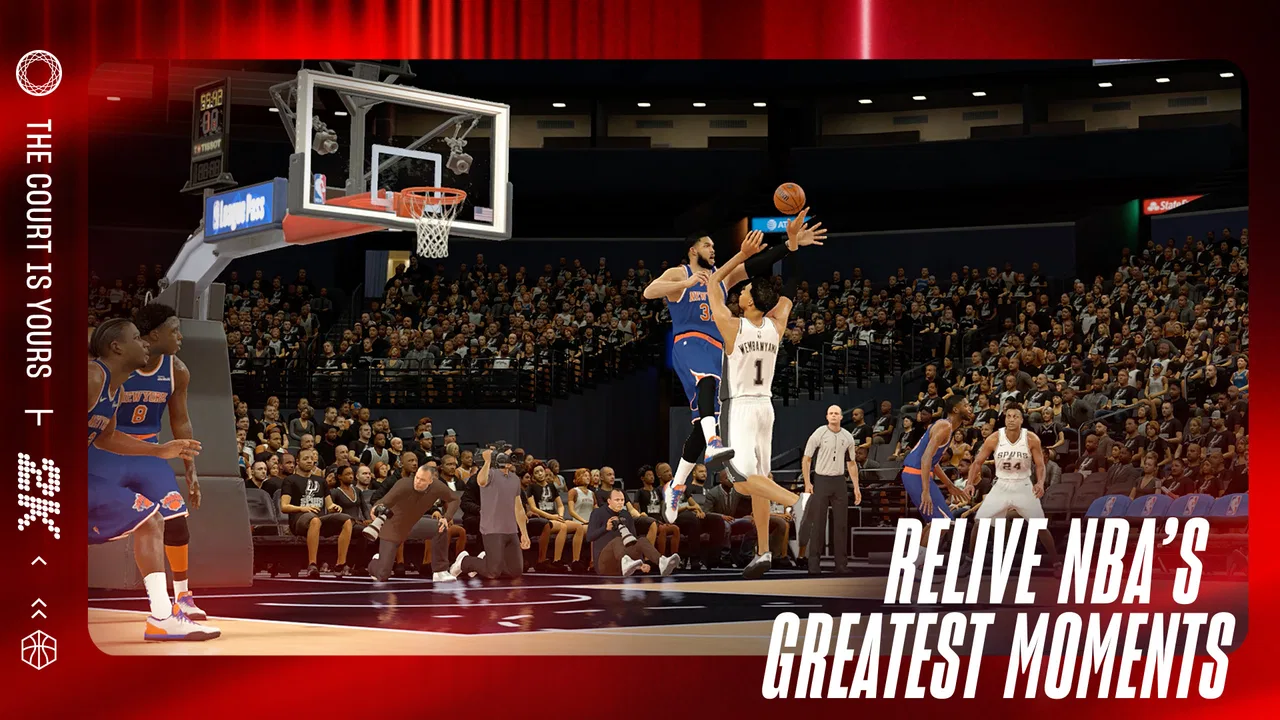
I would choose this game over a basic arcade basketball app when I want a longer-term team-building project and a more realistic 2K-style presentation. The roster decisions give me a reason to return, and the NBA setting makes matches feel connected to a larger sports world.
I would choose a simpler alternative when I want one-handed play, very short rounds, or controls that can be understood instantly. I would also look elsewhere if my priority were a calm, low-motion game with little text. This title asks for more attention than those alternatives, and its strengths are closely tied to that extra complexity.
It is also not the best choice for someone who dislikes free-to-play progression. Even without spending, the presence of purchasable items can change how the experience feels. I prefer to decide in advance that purchases are optional and avoid treating them as the solution whenever progress slows. That mindset keeps the team-building aspect enjoyable instead of turning it into pressure.
Remaining barriers before you download
The biggest barrier is the lack of a truly relaxed control experience during fast play. Precision and timing are part of the appeal, but they also narrow the audience. If you have difficulty holding a phone steady, making repeated quick touches, or tracking several moving players, you may enjoy the management features more than the matches themselves.
Information density is another issue. Team-building games naturally involve comparisons, yet the compact mobile format can make those decisions feel crowded. I recommend using a larger screen when possible, cleaning up notifications before a session, and giving yourself time to inspect rewards instead of accepting them automatically.
There is also a situational barrier: this is not a game I would play safely while walking or doing another task. Active basketball needs visual attention, and interruptions can make the controls frustrating. For accessibility, context matters as much as the device. A quiet seat and a stable grip can change the experience considerably.
Finally, the free entry point should not be confused with a completely cost-free experience. The game can be started without paying, but the purchase range is wide enough that families and players on strict budgets should plan ahead. I found the most satisfying approach was to treat roster growth as a gradual project, not a race to buy every improvement.
My inclusive verdict
After spending time with it, I see this as a strong mobile sports game for players who want realistic basketball presentation, meaningful team management, and enough depth to return regularly. Its 10M+ installs and high average rating reflect broad appeal, and I understand why: it feels more substantial than a disposable arcade game while remaining easier to pick up than a full console simulation.
My recommendation is strongest for basketball fans who can comfortably read a busy interface and manage quick touch actions. I also recommend it to players who enjoy planning, because the roster layer gives you something useful to do even when you are not ready for a match. Beginners should expect a learning period rather than judging the controls after one rushed game.
I would be more cautious if you need large, highly adjustable controls, have difficulty with rapid visual motion, or want a game that works effortlessly during interruptions. In those cases, a simpler basketball title may be kinder to your hands, eyes, and attention. The best way to approach this game is to treat accessibility as a personal fit: test the controls, play in a stable setting, and keep purchases firmly under your control.
For me, the balance is worthwhile. The game’s depth is its main advantage, but that depth creates the same clutter and effort that may exclude some players. If your phone, vision, hearing, motor comfort, and preferred pace line up with what it offers, this free sports game is easy to recommend as a substantial NBA experience on mobile.
FAQs for NBA 2K Mobile Basketball Game
01What devices are compatible with NBA 2K Mobile Basketball Game?
NBA 2K Mobile is compatible with both Android and iOS devices. For Android, it typically requires a version of Android 8.0 or higher. For iOS users, the game works smoothly on devices running iOS 11.0 or later. It's essential to check compatibility with your specific device model before downloading.
02Is an internet connection required to play NBA 2K Mobile?
Yes, NBA 2K Mobile requires a stable internet connection to play. The game features live events, multiplayer modes, and regular updates, all of which necessitate being online. A reliable Wi-Fi connection is recommended to ensure a smooth gaming experience without interruptions.
03Are there in-app purchases in NBA 2K Mobile?
NBA 2K Mobile includes in-app purchases that allow players to buy virtual currency, player packs, and other items. While the game is free to download and play, certain features and enhancements can be unlocked through in-app purchases. It's important to manage purchase settings, especially if children have access to the game.
04How does NBA 2K Mobile handle user data and privacy?
NBA 2K Mobile adheres to standard privacy protocols, collecting data to enhance gameplay and provide personalized experiences. The game requires a 2K account to save progress and sync across devices. Users should review the privacy policy provided in the app to understand how their data is handled and ensure their information is secure.
05What features does NBA 2K Mobile offer to enhance gameplay?
NBA 2K Mobile offers a range of features, including a variety of game modes like Season, PvP, and live events. The game also boasts high-quality graphics, customizable players, and a robust roster of real-life NBA players. Regular updates ensure new content and challenges, keeping the gameplay fresh and engaging.
Pros
- Stunning graphics enhance gameplay experience.
- Realistic player movements and animations.
- Frequent updates with new events and challenges.
- Variety of game modes keeps it engaging.
- Authentic NBA teams and players included.
Cons
- Requires stable internet connection.
- In-game purchases can be costly.
- Large app size demands significant storage.
- Gameplay can be laggy on older devices.
- Initial loading times are quite long.

NBA 2K Mobile Basketball Game
Gallery